
Locket Widget
Locket Labs, Inc.Social
4.64.53K Reviews
- Version
- 1.247.1
- Installs
- 10.00M
- Age Rating
- Teen
Screenshots
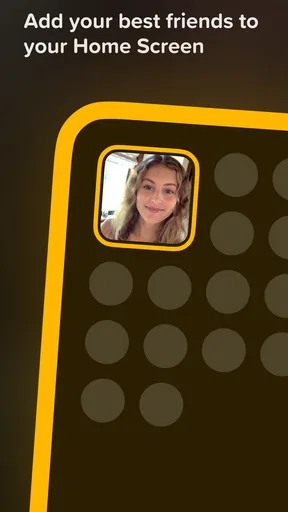
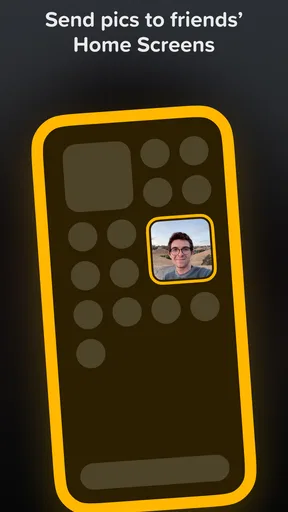
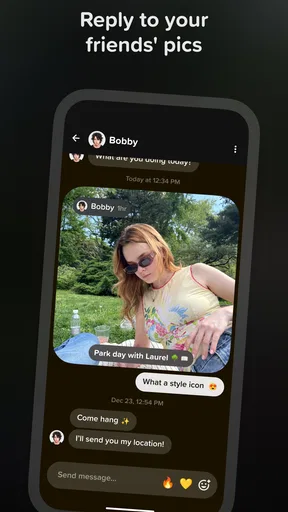
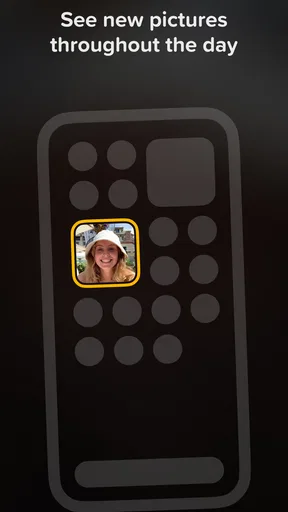
Our Review of Locket Widget
 Analysis by Appyee
I like social apps that understand a small message can matter more than a busy feed. Locket Widget takes that idea and puts it on the home screen: instead of opening a full social network to browse a stream, I can see a recent image from people close to me in the place where I already glance at my phone. That narrow focus is the reason to try it, but it is also the reason some people will find it too limited.
Developed by Locket Labs, Inc., this free social app is built around close friends rather than broad public sharing. Its store summary, “Best friends first,” describes the experience better than a long feature list could. I see it as a lightweight visual check-in: useful when a quick photo says “this is what I’m doing” more naturally than a message, but not a replacement for a complete chat service, photo archive, or public network.
The app has reached over ten million installs and holds a 4.6 average from around 385 thousand ratings, which suggests that the simple idea has connected with a large audience. It is rated for teens, and the current version is 1.237.0. I would still judge it by the people I actually want to share with, because a widget only feels alive when the right friends use it regularly.
How Locket feels when the connection is part of the experience
I find the connection matters most when Locket’s small, informal updates fit the way a group already keeps in touch, rather than becoming another obligation. In this section, I look at how a shared expectation—what to send, and when a separate conversation makes more sense—can keep the experience warm and low-pressure. That also leads to the practical question of what happens when the group’s rhythm or connection falters.
A home-screen glance instead of another social feed
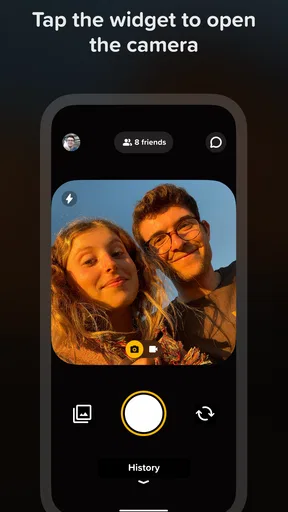
The central appeal is immediacy. A conventional social app asks me to open it, wait for a feed, decide what deserves attention, and then work through several layers of content. Locket Widget aims for a different habit. The home screen becomes the meeting point, so a friend’s image can appear during an ordinary phone check without turning that moment into a long browsing session.
That design changes the emotional scale of social media. I am not opening it expecting entertainment for half an hour. I am checking in for a small, personal signal. A morning coffee, a view from a walk, a messy desk before work, or a quick snapshot from a family outing can feel meaningful precisely because it is not presented as a polished public post.
The network is naturally important here. The app’s value depends on fresh exchanges between people, so the experience is strongest when friends are actively sending images and the phone can receive them. If the connection is slow, the widget may feel less like a living window and more like a static reminder of the last moment that came through. That is not a flaw unique to this app, but it matters more here because freshness is the whole point.
Why the widget format changes behavior
Most social apps compete for deliberate attention. Locket’s widget format works better as ambient communication. I do not need to make a public caption, choose hashtags, or decide whether a photo is polished enough for a broad audience. The smaller audience lowers the pressure and makes casual sharing feel more reasonable.
There is a useful trade-off, though. A widget is easy to overlook when I have a crowded home screen or constantly changing notifications. It can also become background decoration if my friends stop posting. The app cannot create closeness by itself; it gives an existing relationship a convenient visual channel. For that reason, it works best with a small group that already has a reason to keep checking in.
One realistic day with the app
Imagine a group of friends who live in different cities. During a workday, one person sends a quick image of lunch, another shares a rainy commute, and someone else posts a pet interrupting a video call. Nobody has to write a full update or open a public timeline. When I unlock my phone, those moments are available as small reminders of what the group is doing.
That scenario also shows the app’s limitation. If I need a detailed reply, a plan, a file, or a long conversation, I would move to a messaging app. Locket is better at the first spark than at handling everything that follows. I might see a photo and then continue the conversation elsewhere, which is not a failure; it is a sign that this tool has a deliberately narrow job.
Using it while moving between places
The app makes the most sense in mobile situations where I have only a second to spare. At a train platform, outside a café, between classes, or while waiting for a friend, a home-screen glance is more practical than sitting down for a full feed session. The visual format also suits moments that would feel too minor for a carefully composed post.
At the same time, I would avoid treating it as a dependable live-status tool. A picture appearing on the widget should not be interpreted as proof that someone is available to talk right now. The image may have been sent earlier, and a connection delay can make timing feel even less precise. If something is urgent, I would use direct messaging or calling instead.
Travel is another situation where expectations matter. When the phone changes networks, coverage varies, or data access is restricted, the social rhythm can become uneven. I would prepare for that by treating the widget as a casual connection rather than a guaranteed real-time channel. The app is most enjoyable when a delayed update remains pleasant rather than disappointing.
What happens when an update does not arrive?
Connectivity problems are especially noticeable because the interface is so simple. In a larger social network, a slow refresh can be hidden among many other things to browse. Here, if the new image does not appear, there may be little else to do inside the app. That directness is refreshing when everything works, but it makes a weak connection more visible.
My practical approach would be to avoid repeatedly refreshing in frustration. First, I would check whether the phone has a usable connection, then reopen the app or give the update a little time. If the issue affects only one exchange, I would continue with my day and use another channel if the conversation matters. If the problem keeps returning, I would review the app’s current state and phone settings before deciding that the service itself is unreliable.
Recovery is also social, not just technical. When a friend’s image arrives late, the moment may still be worth seeing, but it no longer functions as a live exchange. I would not use Locket for time-sensitive coordination, event instructions, or anything where missing an update has consequences. Its strength is emotional continuity, not operational certainty.
Keeping the experience comfortable on mobile data
Images naturally use more data than plain text, so people with limited mobile plans should pay attention to how often the group shares. I would begin with a small circle rather than inviting everyone I know. That keeps the home screen focused and reduces the chance that a constant stream of pictures turns a gentle check-in into a noisy background process.
A useful habit is to reserve the app for moments that benefit from a photo. If every tiny activity becomes an update, the images lose their sense of occasion and the widget can feel cluttered. Selective sharing is better for both attention and data use: one genuine snapshot from a walk may say more than a dozen routine pictures.
I would also be careful when using the app in places where connectivity is expensive or inconsistent. A café or home connection may make sharing more comfortable, while roaming or a weak mobile signal can make the experience less predictable. I would not assume that a visible widget means all recent content has arrived instantly, and I would keep important conversations outside this visual channel.
Privacy and audience discipline in everyday use
The most important choice is not a technical setting; it is deciding who belongs in the circle. Locket’s close-friend orientation makes more sense when I invite people I genuinely know and trust. Before sharing a picture, I would remember that ordinary backgrounds can reveal more than intended: a location, a work screen, a school setting, or another person who did not expect to appear.
This is one reason I would not use the same casual rules for Locket that I might use for a private text. A widget can make sharing feel effortless, and effortless sharing can make me less careful. I would frame images deliberately, avoid sensitive documents in the background, and ask before posting someone else in a recognizable way. Those habits improve the experience without turning it into a formal publishing process.
For families and younger users, the teen content rating is worth taking seriously. The app may be simple, but the people involved and the pictures exchanged still shape the safety of the experience. Parents or guardians should discuss who is invited and what kinds of images are appropriate, rather than assuming that a private-feeling widget removes every social risk.
Where it beats the usual alternatives
Compared with a standard messaging app, Locket is less useful for conversation but more visible for quick visual contact. A message can disappear into a long thread; a widget puts the image closer to the moment of unlocking the phone. Compared with a public photo network, it feels less performative because the intended audience is narrower and the interaction is not built around broad discovery.
Compared with a general home-screen widget that shows an album or rotating memories, Locket is oriented toward current exchanges with friends. That makes it more personal, but also more dependent on participation. A photo widget can remain useful when nobody posts today; Locket loses much of its purpose if the circle becomes inactive.
I would choose a messaging app when I need searchable conversation, clear replies, group planning, or dependable delivery for something important. I would choose a public social network when discovery, comments, creators, or a wider audience are the main attraction. I would choose Locket when the goal is a low-effort visual thread among people who already matter to me.
Small decisions that make it work better
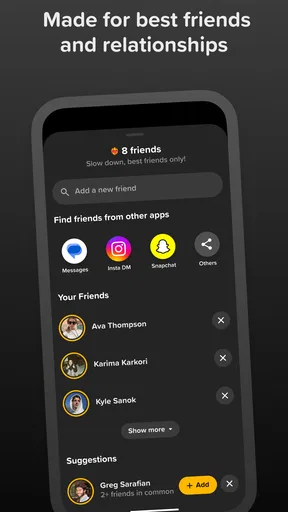
My first recommendation is to start with a deliberately small group. The app’s design becomes less distinctive when too many people contribute, because the home screen stops feeling like a close circle and starts resembling another feed. A compact group also makes it easier to recognize the context behind an image without needing a caption.
Second, agree informally on what the app is for. One group might use it for everyday snapshots, while another might prefer occasional updates from trips or shared activities. Setting that expectation prevents disappointment when someone does not post constantly and avoids turning participation into an obligation.
Third, use the widget as an invitation to connect, not as a substitute for replying. If a picture prompts a question or concern, I would move to a more suitable conversation tool. This keeps Locket’s low-pressure character intact and prevents the absence of chat features from becoming frustrating.
Finally, review the home-screen placement after using it for a while. The widget should be visible enough to be noticed but not so prominent that every glance becomes a demand to engage. Its best role is a gentle reminder, not another source of pressure competing with work, navigation, and essential notifications.
Who should install it, and who should skip it?
I think Locket is a strong fit for close friends, couples, siblings, and families who enjoy sharing small visual moments without maintaining a public profile. It is especially appealing if you like the idea of seeing a friend’s update during normal phone use rather than opening a dedicated feed. People who communicate through photos more naturally than through long messages may find the format unusually comfortable.
I would be more cautious if your friends are unlikely to participate. The app cannot be judged fairly as a solo download, because its usefulness grows from the circle around it. I would also skip it if you want extensive editing, public reach, deep search, long-form discussion, or a complete record of every shared image. Those needs point toward other social tools.
People with strict data limits should also think about the pattern of use before inviting a large group. The free download makes trying it easy, but image-based sharing can still affect a mobile routine. There are in-app purchases ranging from $1.99 to $35.99 per item, so I would review any optional spending carefully and use the free experience first to see whether the group actually adopts it.
My connectivity verdict
After considering how it fits into daily phone use, I see Locket Widget as a focused social companion rather than a full communication platform. Its best moments come from the combination of a personal image, a familiar friend, and a quick glance at the right time. That combination can feel warmer than a conventional feed because it removes much of the performance and browsing around the update.
Its dependence on a functioning connection is also part of the trade-off. Fresh exchanges need the network, and delays are more noticeable when the interface offers such a small amount of content. I would enjoy it for casual closeness, but I would never rely on it for urgent information, detailed planning, or proof that someone is currently available.
The app is free, rated for teens, and maintained by Locket Labs, Inc.; its popularity shows that the widget concept has broad appeal. Still, the real test is simple: can I name a few people who would enjoy sending and receiving these little snapshots? If yes, the strongest reason to try Locket is the quiet connection it adds to an ordinary home-screen glance. If the answer is no, a messaging app or a conventional photo service will probably offer more value.
My recommendation is therefore positive but specific. Install it for a close, active circle, keep the sharing intentional, and treat the network as a convenience rather than a guarantee. When those conditions are in place, the app does something many larger platforms struggle to do: it makes staying connected feel small enough to fit naturally into the day.
Privacy and Permissions
See what permissions an app requests and how it handles your data.
- Contacts
- read your contacts
- Location
- approximate location (network-based), precise location (GPS and network-based)
- Photos/Media/Files
- read the contents of your USB storage, modify or delete the contents of your USB storage
- Storage
- read the contents of your USB storage, modify or delete the contents of your USB storage
- Camera
- take pictures and videos
- Microphone
- record audio
- Wi-Fi connection information
- view Wi-Fi connections
- Other
- view network connections, full network access, change your audio settings, run at startup, draw over other apps, control vibration, prevent device from sleeping, read Google service configuration
Verdict
Strengths of Locket Widget
- Makes sharing everyday moments with close friends feel spontaneous.
- Home-screen widget keeps friends’ updates visible without opening the app.
- Simple camera-first design is quick to learn and use.
- Private friend groups feel more personal than public social feeds.
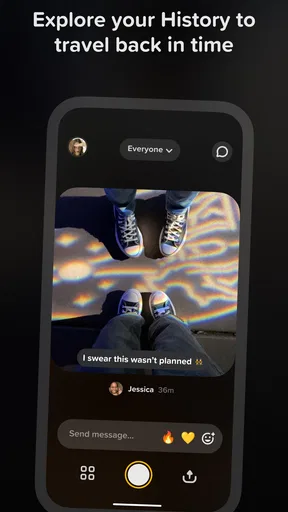
- Photo reactions help maintain lightweight daily connections.
Limitations of Locket Widget
- Requires widget setup for the main experience to be useful.
- Frequent notifications may feel distracting for some users.
- Limited editing tools can make posts feel visually basic.
- The app is less valuable if your friends do not use it regularly.
- Shared photos may raise privacy concerns on a visible lock screen.
Similar Picks in This Category
View All
Meta Platforms, Inc.4.6

Instagram4.0

Likee-Live, Chat & Party Games
Likeme Pte. Ltd.4.4

Facebook Lite
Meta Platforms, Inc.4.5

TikTok - Videos, Shop & LIVE
TikTok Pte. Ltd.4.0

Moj: Free Short Drama & Reels
ShareChat4.1
Frequently Asked Questions
What is Locket Widget and how does it work?
Locket Widget is a social photo-sharing app designed to display pictures from selected friends directly on your phone’s home-screen widget. After signing in and inviting contacts, friends can send photos that appear in the widget throughout the day. The experience is intentionally simple and personal, focusing on quick visual updates rather than public posts, likes, comments, or a traditional social-media feed.
Is Locket Widget free to download and use?
Locket Widget can generally be downloaded for free on supported Android and iOS devices, with the core experience available without an upfront purchase. However, availability of optional premium features, subscriptions, or in-app purchases may depend on the current version and region. Before confirming any payment, users should review the store listing, subscription terms, renewal details, and cancellation options carefully.
Does Locket Widget require access to my photos, camera, or contacts?
The app may request permission to use your camera and photo library so you can take or select images to share. It may also request contacts access to help you find or invite friends, although you should only grant permissions you are comfortable with. You can usually manage these permissions later in your device settings, but limiting access may affect certain features.
Who can see the photos I share on Locket Widget?
Locket Widget is built around sharing photos with approved connections rather than publishing them openly to everyone. In normal use, images are intended for the friends or contacts you choose within the app. Even so, users should avoid sharing sensitive information, private documents, or images they would not want saved or captured. Review your friend list and privacy settings regularly.
Can I use Locket Widget without adding friends, and what happens if I uninstall it?
You may be able to explore parts of Locket Widget without immediately adding friends, but its main purpose is exchanging photos with people you know, so the experience is limited without connections. If you uninstall the app, the widget and local app data may be removed from your device, while account-related information or previously shared content may remain subject to the service’s privacy policy and deletion procedures.
